ShadowsocksX
Continue to app
Paid Version
Publisher Description

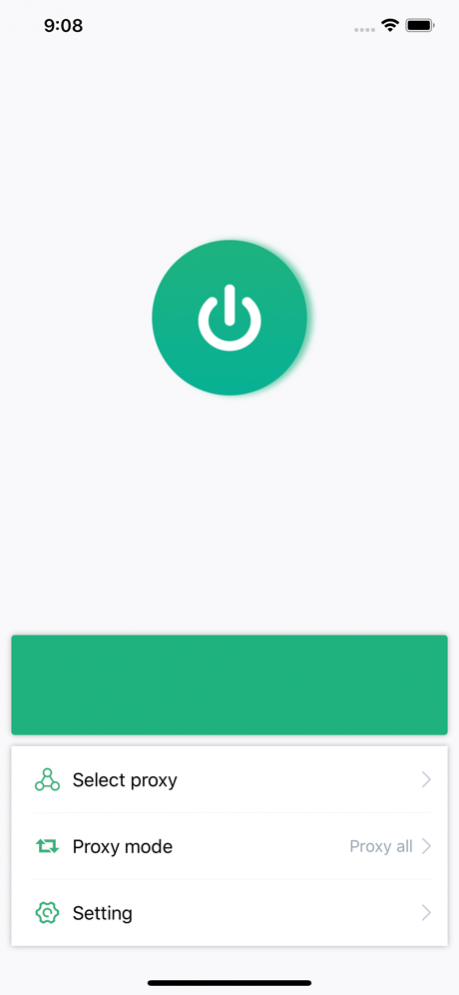


ShadowsocksX is a client for Shadowsocks/ShadowsocksR, can be used to protect your network traffic.
It's designed to simple and intelligent, one click to start!
Feature:
* Support protocol Shadowsocks and ShadowsocksR
* Of course support the AEAD ciphers
* Quickly switch status in the today widget
* Intelligently forward part of the traffic, making network access faster
Tips:
Before using, you need to add a proxy first.
Support encryption method:
aes-128-gcm,
aes-192-gcm,
aes-256-gcm,
chacha20-ietf-poly1305,
xchacha20-ietf-poly1305,
table,
rc4,
rc4-md5,
aes-128-cfb,
aes-192-cfb,
aes-256-cfb,
aes-128-ctr,
aes-192-ctr,
aes-256-ctr,
bf-cfb,
camellia-128-cfb,
camellia-192-cfb,
camellia-256-cfb,
cast5-cfb,
des-cfb,
idea-cfb,
rc2-cfb,
seed-cfb,
salsa20,
chacha20
About ShadowsocksX
ShadowsocksX is a paid app for iOS published in the System Maintenance list of apps, part of System Utilities.
The company that develops ShadowsocksX is YaBei Zhao. The latest version released by its developer is 1.0.
To install ShadowsocksX on your iOS device, just click the green Continue To App button above to start the installation process. The app is listed on our website since 2022-05-19 and was downloaded 168 times. We have already checked if the download link is safe, however for your own protection we recommend that you scan the downloaded app with your antivirus. Your antivirus may detect the ShadowsocksX as malware if the download link is broken.
The company that develops ShadowsocksX is YaBei Zhao. The latest version released by its developer is 1.0.
To install ShadowsocksX on your iOS device, just click the green Continue To App button above to start the installation process. The app is listed on our website since 2022-05-19 and was downloaded 168 times. We have already checked if the download link is safe, however for your own protection we recommend that you scan the downloaded app with your antivirus. Your antivirus may detect the ShadowsocksX as malware if the download link is broken.
How to install ShadowsocksX on your iOS device:
- Click on the Continue To App button on our website. This will redirect you to the App Store.
- Once the ShadowsocksX is shown in the iTunes listing of your iOS device, you can start its download and installation. Tap on the GET button to the right of the app to start downloading it.
- If you are not logged-in the iOS appstore app, you'll be prompted for your your Apple ID and/or password.
- After ShadowsocksX is downloaded, you'll see an INSTALL button to the right. Tap on it to start the actual installation of the iOS app.
- Once installation is finished you can tap on the OPEN button to start it. Its icon will also be added to your device home screen.
Program Details
System requirements
Operating systems
iOS
Download information
File size
75.5 MB
Total downloads
168
Pricing
License model
Paid
Price
Version History
Here you can find the changelog of ShadowsocksX since it was posted on our website on 2021-12-17.The latest version is and it was updated on Soft112 on 03 November, 2026.See below the changes in each version:
